Overview
Scheduling in fleets allows administrators to automate when machines inside the fleet are powered ON or OFF. This is useful for shift-based work environments and ensures that virtual desktops are only running when needed, helping optimize cost and compute usage.
Index
- Important Rules for Scheduling
- How to configure a Schedule when creating a new Fleet
- Scheduling Examples
- Best Practices
Content
1) Important Rules for Scheduling
Before creating a schedule, keep the following in mind:
| Rule | Description |
|---|---|
| 1. Editing of schedule | Important: The schedule cannot be changed or altered once the fleet has been created. |
| 2. No overlapping of schedules | Time ranges cannot overlap with each other. |
| 3. Minimum 1-hour gap | Adjacent schedules must be separated by at least 1 hour. |
| 4. VM availability and power state | Fleet VMs will automatically power on/off based on the configured schedule. |
2) How to configure a Schedule when creating a new Fleet
- Log in to the Softdrive Dashboard
Open a browser and navigate to: https://softnet.softdrive.co
Sign in with your administrator or authorized user credentials. - Go to the Fleets section
From the left menu, select More → Fleets. - Click CREATE
- This will open the Fleet creation window where you can configure fleet name, tier, region, and template.
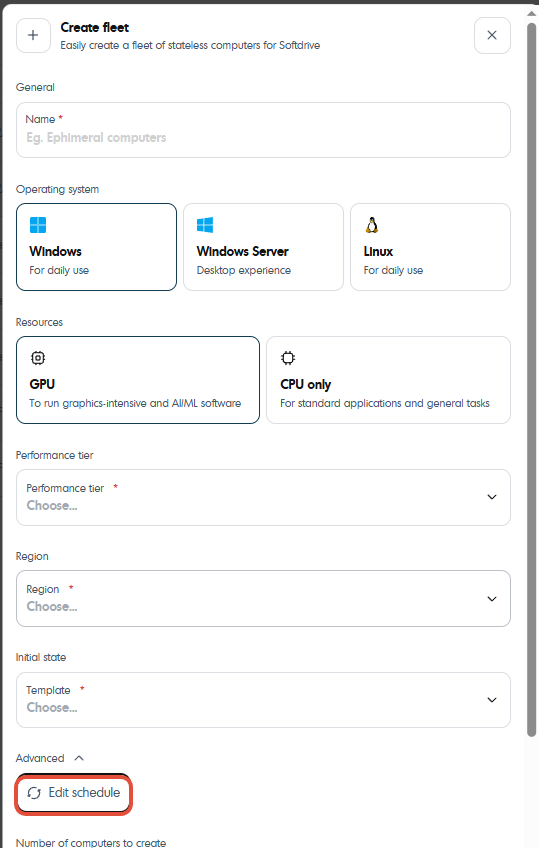
- Configure the schedule
Configure the schedule based on your needs.
Machines in this fleet will automatically power on at the start time and shut down at the end time.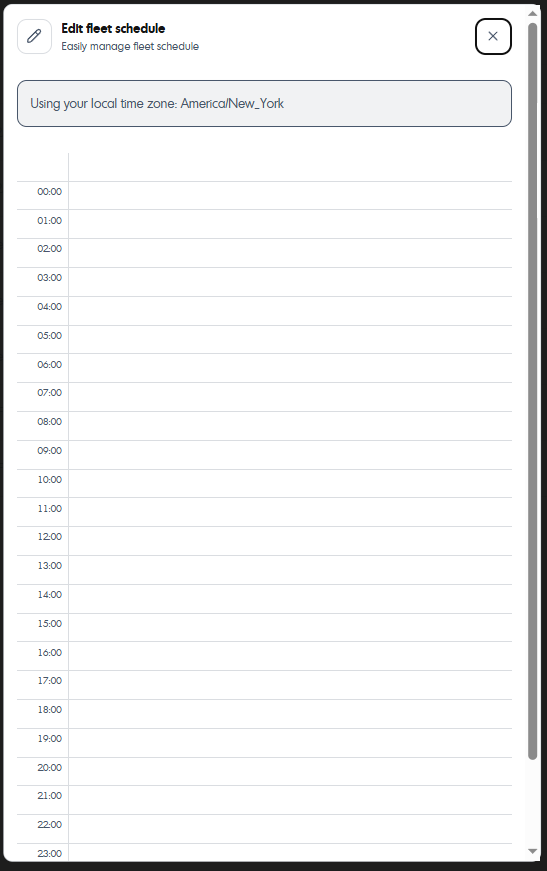
3) Scheduling Examples
| Scenario | Configuration |
|---|---|
| Standard work schedule | Mon–Fri, 8:00 AM → 6:00 PM |
| Multiple shifts | 6:00 AM → 2:00 PM and 3:00 PM → 11:00 PM (1-hour separation required) |
| Weekends only | Sat–Sun, 9:00 AM → 3:00 PM |
| 24/7 access | Create a single block that runs a full week, 00:00 to 23:59 |
4) Best Practices
| Recommendation | Benefit |
|---|---|
| Align schedules with work shifts | Reduces unused compute time and cost |
| Leave a 1+ hour buffer for back-to-back blocks | Prevents scheduling conflicts |
| Regularly review schedules | Ensures alignment with operational needs |
Was this article helpful?
That’s Great!
Thank you for your feedback
Sorry! We couldn't be helpful
Thank you for your feedback
Feedback sent
We appreciate your effort and will try to fix the article