Overview
This article explains how VDI administrators log in to the Softdrive dashboard (Softnet) to manage computers, users, and environment settings.
Applies To
Softdrive Platform
Softnet Administration Portal
VDI Administrators
Prerequisites
Administrator account in Softdrive
Valid login credentials (email/password or SSO)
Access to authentication method (e.g., mobile device for 2FA)
Procedure
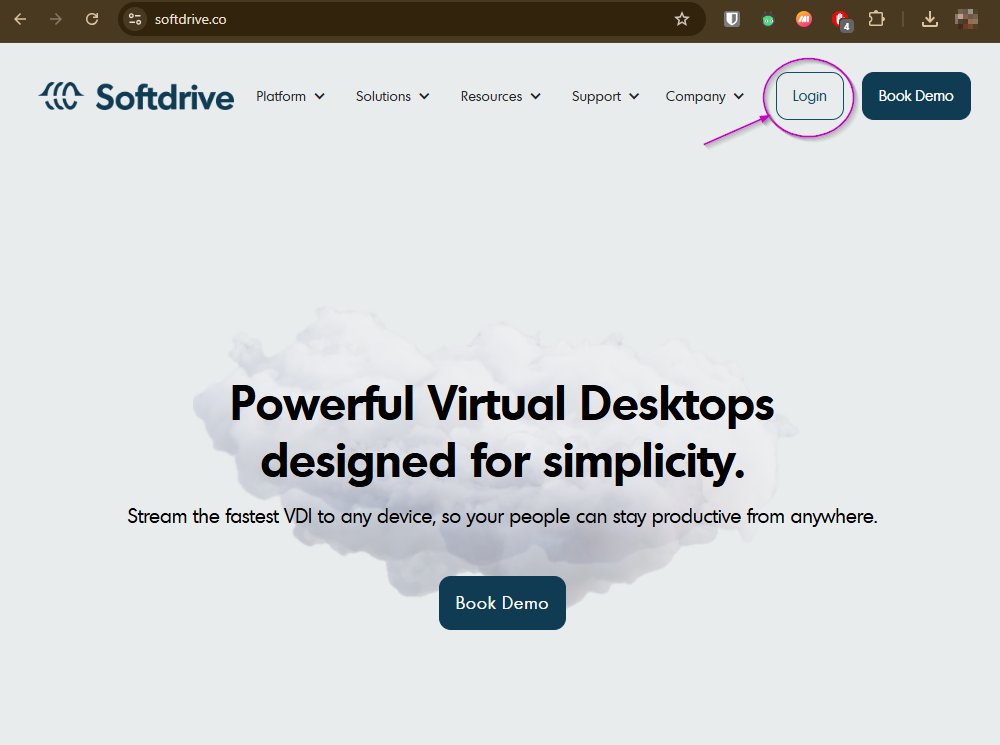
Step 1: Open the Softdrive Dashboard
Click Login in the top-right corner
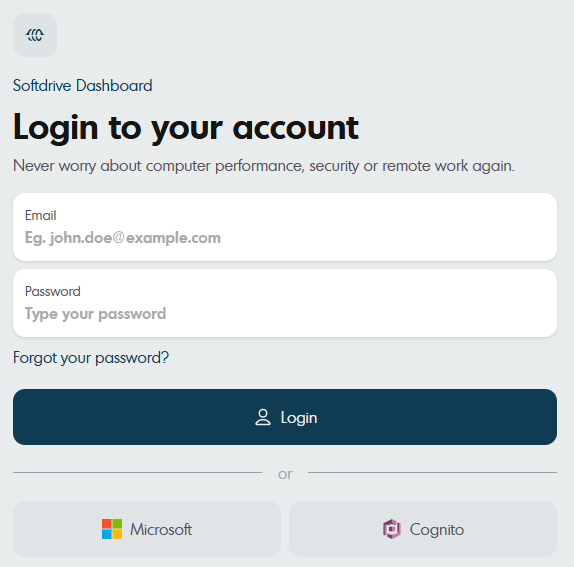
Step 2: Enter Administrator Credentials
Enter your administrator login credentials
Select your authentication method (if applicable):
Email and password
Microsoft SSO
Other configured provider
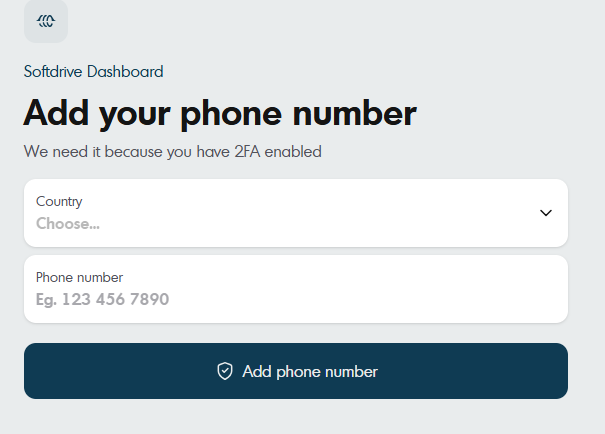
Step 3: Complete Two-Factor Authentication (if enabled)
Enter your verification code or approve the authentication request
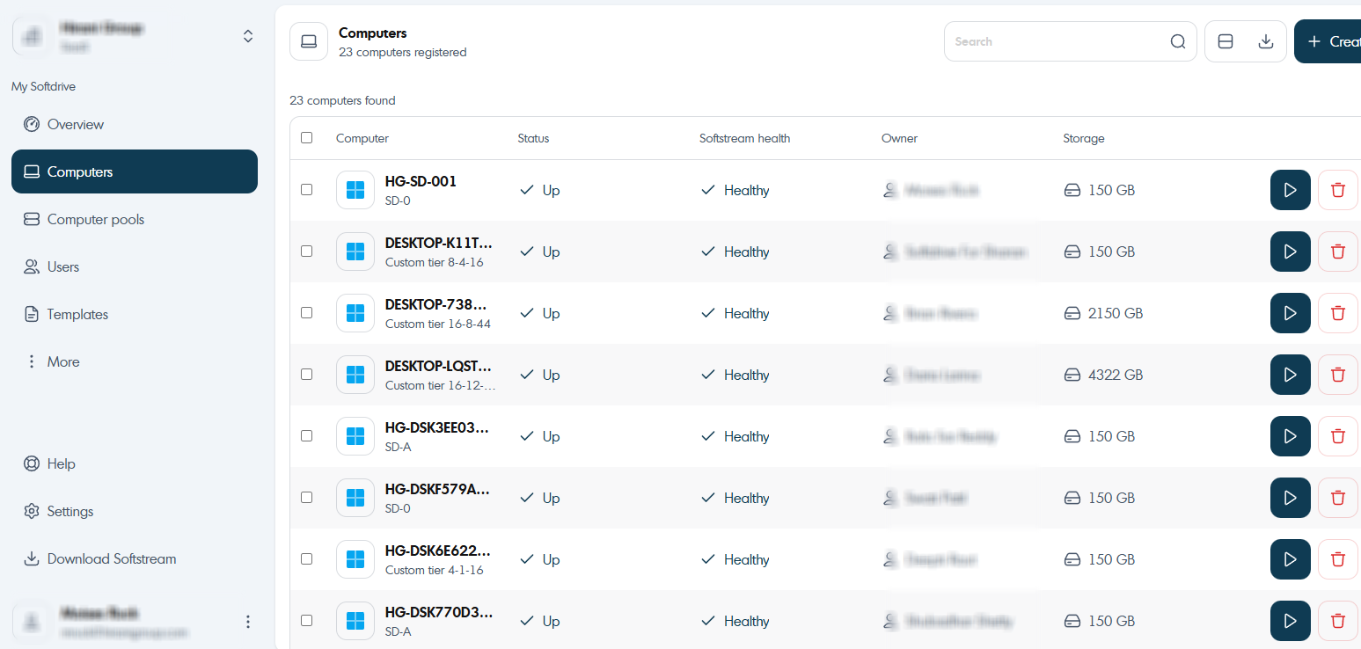
Step 4: Access the Dashboard
After logging in, you will be redirected to the Softnet dashboard
From here, you can:
Manage computers
Assign users
Configure settings
Validation / Expected Result
You are successfully logged into Softnet
Administrative controls and navigation are visible
You can access and manage your Softdrive environment
Troubleshooting
If you cannot log in:
Verify administrator credentials are correct
Confirm 2FA authentication is completed
Ensure your account has admin permissions
Try logging in via a different browser or network
Escalation
If the issue persists:
Contact your internal system administrator (if applicable)
Or contact Softdrive Support: support@softdrive.co