Overview
You can connect to a Softdrive Virtual Machine using either the Softdrive application or the Softdrive Dashboard.
This guide explains both connection methods and how to launch a session successfully.
Applies To
- Softdrive Virtual Machines
- Softdrive Launcher
- Softnet Dashboard
- Windows, macOS, and Linux users
Prerequisites
- Softdrive account credentials
- Softdrive application installed
- Assigned Softdrive virtual machine
- Internet connection
Procedure
Method 1: Connect Using the Softdrive App
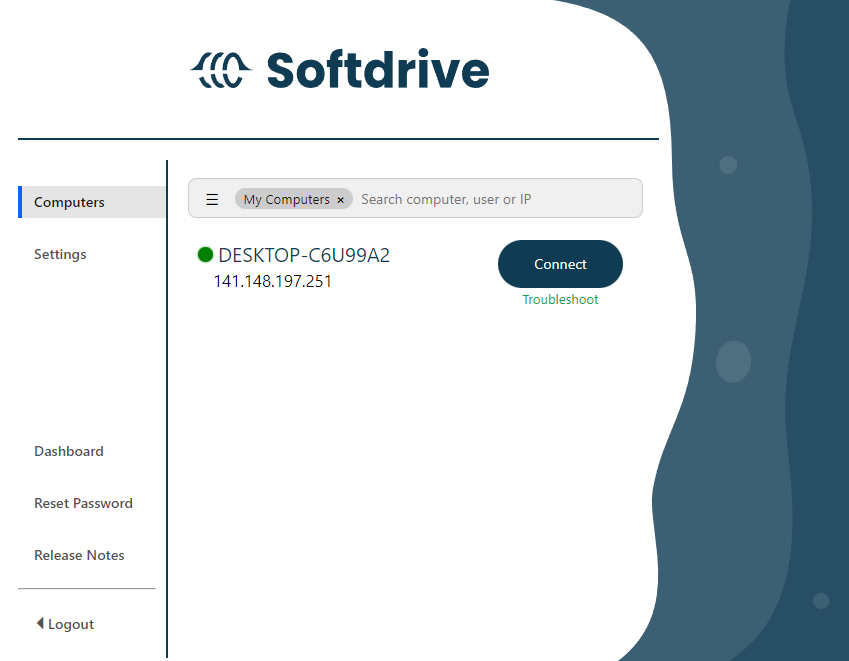
- Open the Softdrive App
- Locate your assigned virtual machine on the home screen and click:
Connect
Method 2: Connect Using the Softdrive Dashboard
- Log in to:
https://dashboard.softdrive.co/ - Navigate to:
Computers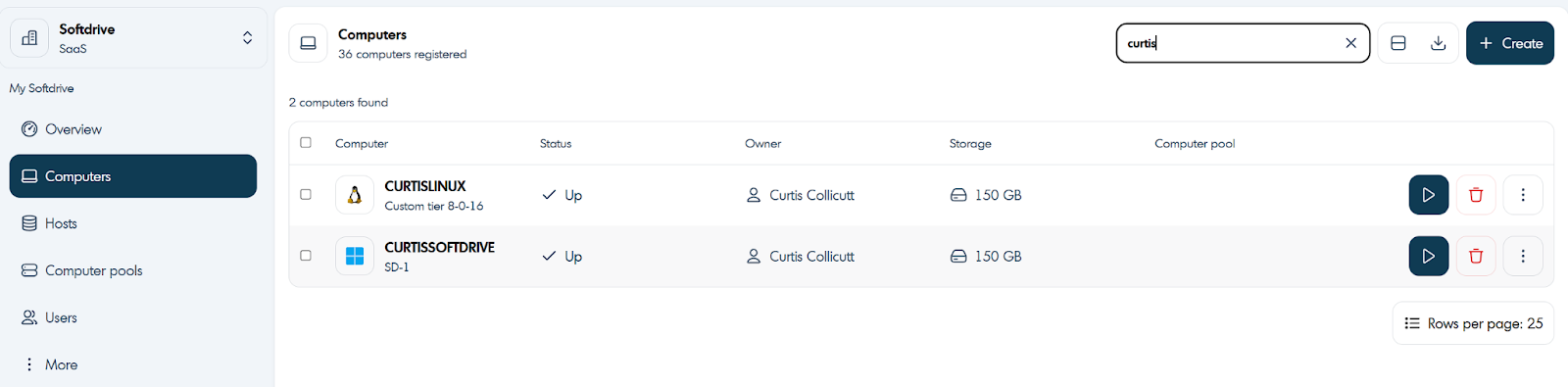
- Locate the machine you want to connect to.
- Click the blue arrow button on the right side of the machine entry.
- Select:
Connect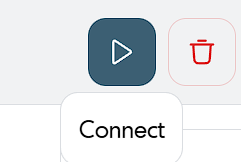
- Your browser will display a confirmation dialog asking to open the Softdrive Client.
- Optionally select:
to avoid future prompts.Always allow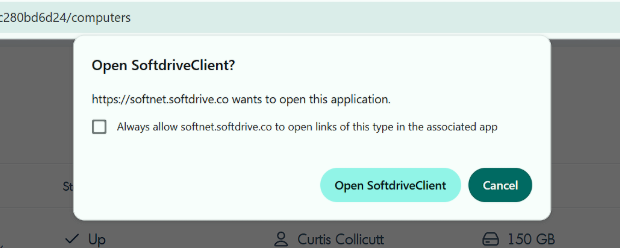
The Softdrive application must already be installed on the local computer for dashboard launching to work properly.
Expected Result
The Softdrive virtual machine launches successfully and the session opens in the Softdrive application.
Troubleshooting
- Ensure the Softdrive application is installed before using the Dashboard connection method
- Verify the assigned virtual machine is powered on
- Allow browser prompts to open the Softdrive Client
- Check internet connectivity if sessions fail to launch
- If issues persist, contact support@softdrive.co